
Video Transcript
Cloud computing is another compelling reason to upgrade before the end of support deadlines for Windows Server 2008.
Microsoft has announced specialist support provisions for 2008 customers who move their old applications to the Azure public cloud and run them on virtual machines and that may seem like a really attractive way to avoid the end of support deadline.
According to IDC, 85 percent of public cloud customers plan to move some applications away from the public cloud in 2019.
Now the public cloud continues to grow dramatically.
Microsoft adds a hundred and twenty thousand new subscriptions to Azure every month.
But for one reason or another, whether its performance or data security, or cost, not all applications belong in the cloud.
After the end of support deadline, if you’ve moved an outdated application on an out of support OS to run on a virtual machine in the cloud, and then you realize you want to pull it back, you’ve really painted yourself into a corner.
That’s why we think the better solution is to modernize your environment on a current version of Windows Server.
Because then you’ve got the flexibility to run your applications wherever you want, which is critically important.
One single deployment strategy is never going to work for every application.
Most organizations want that flexibility. The ability to pick the deployment strategy that offers the highest value for the lowest cost.
That’s what you can do if you update to a modern version of Windows Server.
I’ll finish up with a few words on HPE’s distribution of Windows Server software. It’s called ROK.
What is HPE ROK?
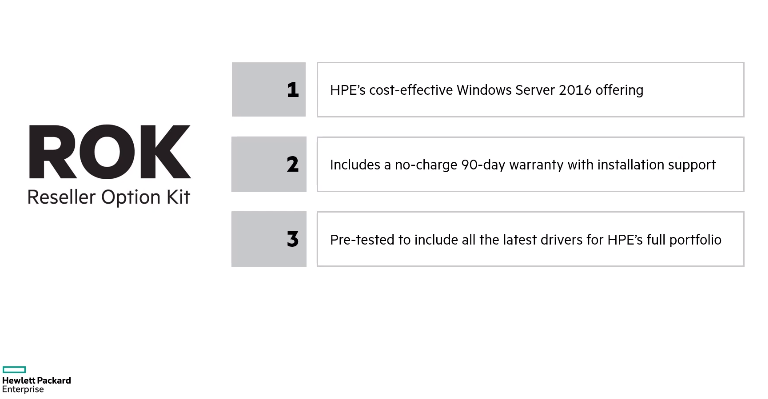
In many situations, ROK is actually the least expensive way to acquire Windows Server software.
What’s really nice is it comes with a free 90-day warranty, which includes installation support.
So while you’re bringing up these new systems, if you need help, HPE is right there and because it’s coming from HPE, you know it’s been pre-tested for all of the drivers for HPE’s complete portfolio of servers.
An upgrade from Windows Server 2008 is a big deal – I’m not going to trivialize it. But it’s also a great opportunity to take advantage of all of the innovation that’s taken place over the last ten years. Don’t put it off.
How can Shoreline Technology Solutions help upgrade my Windows Server 2008?
When it comes to upgrading Windows Server 2008, our techs can help your business assess, migrate, and optimize your upgrade.
- Assess – Identify and inventory your apps and server roles running on Windows Server 2008 and 2008 R2. Analyze each workload to determine the best path—migrate to Azure or upgrade on-premises.
- Migrate – Make the move—migrate your virtual machines to Azure or upgrade to the latest version of Windows Server.
- Optimize – Fine-tune your resources to optimize costs, manage resources, and strengthen security and compliance across hybrid workloads.
Contact us today to learn how our small business server 2008 modernization paths can help protect your business.

President / Network Architect
Mark Kolean always had a fascination with technology from the time he was 3 and his gift of the Atari 2600 to current. In 1990 at the age of 14 Mark got his first job in customer support for a mail order business supporting Tandy TSR-80 computer software shipped on cassette tape. A few years later Mark was building hundreds of 286, 386, and 486 computers for the new emerging DOS & Windows 3.1 computers that had exploded on the market.
After a college career studying business and technology Mark Started Shoreline Computer Systems in 1999 at the height of the dot.com boom with the looming crisis of the year2k bug just around the corner. In the early 2000’s a lot of work was done with early network systems including Lantastic, Novell, and Windows NT Server. Mark became a community contributor to the Small Business Specialist community that revolved around Small Business Server 2000-2011 which focused on single or dual server environments for businesses up to 50 in size. Networks during this time frame mostly had a break fix relationship in which work was billed only when a problem occurred.
In the 2010’s Microsoft released their first cloud based software called Microsoft BPOS which would in later become known as Microsoft Office 365. This introduced a new model in technology with pay as you go subscription services. Starting in 2013 Mark’s team at Shoreline Computer System rebranded as Shoreline Technology Solutions to focus on the transition to become proactive and less reactive to data backup and security needs. Starting in 2018 all customers are required to have a backup management plan in place as a center point with the full understanding that if STS isn’t watching the customer’s data, then no one is.
Now in Mark’s 22 years of business he is building a company emphasis of how to help customers retire servers and build networks completely in the cloud.

Leave a Reply