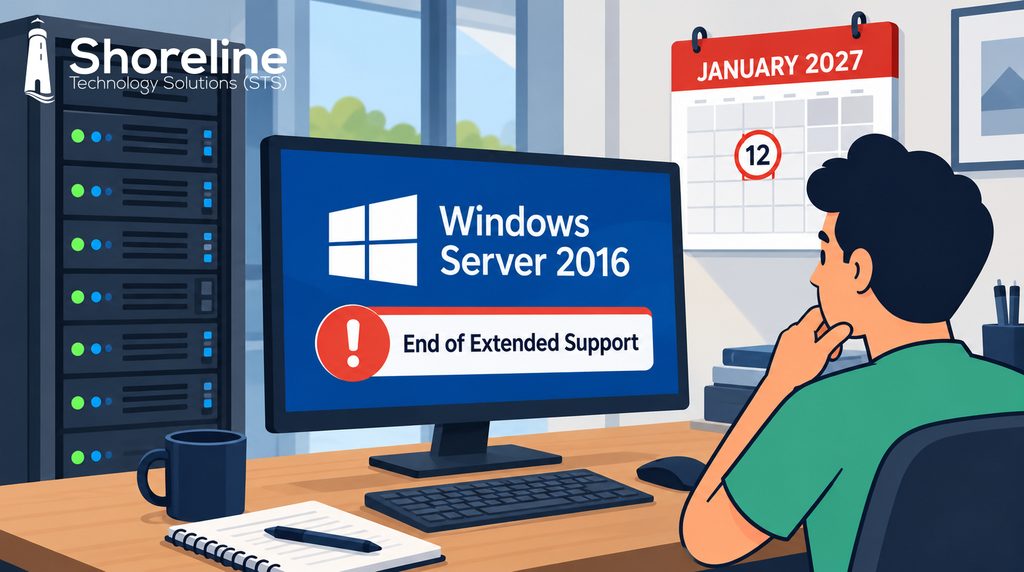
On January 12, 2027, Microsoft will end extended support for Windows Server 2016. That’s a little over three months from now. If your business has a file server, domain controller, or accounting database that was set up around 2017 or 2018, there’s a good chance it’s running Server 2016.
Here’s what makes this deadline easy to ignore: nothing happens on January 13. The server will still boot. Your staff will still open files and log in like they always have. The difference is that every security flaw discovered from that point forward will stay open, permanently.
What “End of Life” Actually Means
Windows Server 2016 was released in October 2016. Mainstream support ended in January 2022, which meant no more new features or general bug fixes. Since then, Microsoft has only provided security patches. In January, those stop too.
Attackers pay close attention to these dates. When Microsoft patches a vulnerability in Windows Server 2022 or 2025, criminals can study that patch and check whether the same weakness exists in older versions. On an unsupported server, it often does, and it will never be fixed.
Why It Matters for Your Business
Your server is usually where your most important data lives: customer records, financial files, and the credentials that control access to everything else. An unpatched server is an open invitation for ransomware.
There are practical concerns as well:
- Compliance and insurance. Regulations like HIPAA and the FTC Safeguards Rule expect systems to be kept current, and many cyber insurance applications specifically ask whether you’re running unsupported operating systems.
- Software support. Vendors stop supporting their applications on outdated platforms. SQL Server 2016 already reached end of support in July 2026.
- Aging hardware. A server purchased in 2017 is now nine years old, and its warranty likely expired years ago.
Your Options
Every environment is different, but most businesses will take one of these paths:
- Upgrade to a newer version. Windows Server 2025 is supported until 2034. If your hardware can handle it, an upgrade may be the simplest route.
- Replace the server. If the hardware is near the end of its life anyway, new equipment and a fresh install is often the cleaner choice.
- Move to the cloud. Many small and mid-sized businesses find they no longer need an on-site server at all. Microsoft 365 and Azure can take over file storage, user management, and many business applications.
- Buy Extended Security Updates. Microsoft offers paid ESUs for up to three years. They cover security patches only, the cost goes up each year, and they’re meant as a temporary bridge while you plan your move.
Don’t Wait Until December
A server migration takes planning. Applications need to be checked with vendors, hardware can take weeks to arrive, and the holidays eat up time quickly. For accounting firms and many other West Michigan businesses, January is also the start of a busy season. That’s the last time you want to be troubleshooting a new server. If you’re not sure which of your servers are running Windows Server 2016, or which path makes sense for your budget, we can help. Contact Shoreline Technology Solutions for a free network assessment, and we’ll build a plan that gets you off Server 2016 before the deadline.

President / Network Architect
Mark Kolean always had a fascination with technology from the time he was 3 and his gift of the Atari 2600 to current. In 1990 at the age of 14 Mark got his first job in customer support for a mail order business supporting Tandy TSR-80 computer software shipped on cassette tape. A few years later Mark was building hundreds of 286, 386, and 486 computers for the new emerging DOS & Windows 3.1 computers that had exploded on the market.
After a college career studying business and technology Mark Started Shoreline Computer Systems in 1999 at the height of the dot.com boom with the looming crisis of the year2k bug just around the corner. In the early 2000’s a lot of work was done with early network systems including Lantastic, Novell, and Windows NT Server. Mark became a community contributor to the Small Business Specialist community that revolved around Small Business Server 2000-2011 which focused on single or dual server environments for businesses up to 50 in size. Networks during this time frame mostly had a break fix relationship in which work was billed only when a problem occurred.
In the 2010’s Microsoft released their first cloud based software called Microsoft BPOS which would in later become known as Microsoft Office 365. This introduced a new model in technology with pay as you go subscription services. Starting in 2013 Mark’s team at Shoreline Computer System rebranded as Shoreline Technology Solutions to focus on the transition to become proactive and less reactive to data backup and security needs. Starting in 2018 all customers are required to have a backup management plan in place as a center point with the full understanding that if STS isn’t watching the customer’s data, then no one is.
Now in Mark’s 22 years of business he is building a company emphasis of how to help customers retire servers and build networks completely in the cloud.
